How to Write an Engineering Team Report Your VP Will Actually Read (2026)
Most engineering status reports are too long, too technical, and ignored. Here's the 5-section structure that VPs actually read — or let AI write it for you.
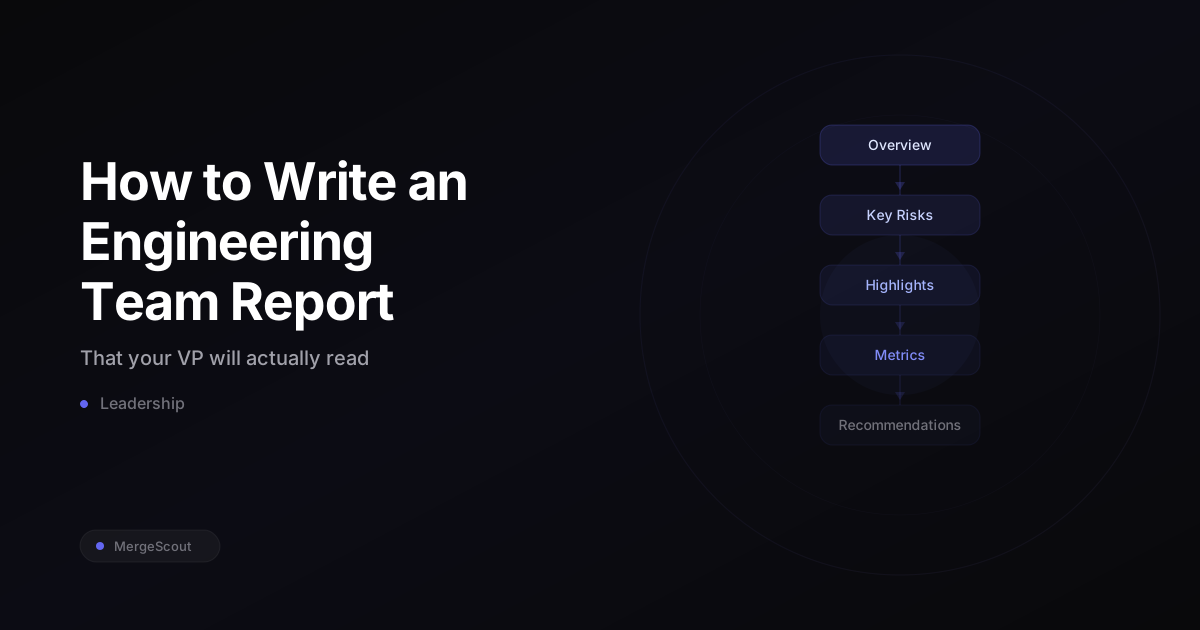
TL;DR: Most engineering reports fail because they’re written for engineers, not executives. Use the 5-section structure: Overview (one story), Key Risks, Highlights, Metrics Snapshot (5 numbers max), and Recommendations. Or skip the manual work entirely and let MergeScout generate it from your GitHub data.
Why do most engineering status reports get ignored?
Because they’re written for the wrong audience.
I’ve watched engineering managers spend 2-3 hours every two weeks assembling a status report that their VP skims for 90 seconds and then never references again. The report has 15 metrics, a wall of bullet points about completed tickets, and zero narrative about what any of it means.
Here’s the uncomfortable truth: your VP doesn’t care about your sprint velocity. They care about three things — is the team shipping, are there risks I should know about, and do I need to do anything? If your report doesn’t answer those questions in the first 30 seconds, it gets filed under “I’ll read this later” (they won’t).
The problem isn’t that VPs don’t value engineering work. It’s that most engineering reports communicate activity instead of outcomes. A list of merged PRs is activity. “We reduced deployment failures by 30% this month by improving our CI pipeline” is an outcome.
What’s the 5-section structure that actually works?
After writing dozens of these reports (and watching which ones got responses and which got silence), I landed on this structure:
1. Overview — The Biggest Story
One paragraph. What’s the single most important thing that happened this period? Not five things. One thing.
“The team shipped the new billing system two days ahead of schedule. Cycle time improved 18% to 2.3 days, driven by smaller PR sizes across the backend team.”
That’s it. Your VP now knows the headline. If they stop reading here (and sometimes they will), they got the most important information.
2. Key Risks — What’s Concerning
Two to three bullets max. Things that might blow up, slow down, or need executive attention. Be specific about impact and timeline.
- “Frontend review bottleneck: Sarah is reviewing 60% of all frontend PRs. If she takes PTO, frontend throughput drops significantly. Recommend cross-training Alex on the design system.”
- “Rework rate in the payments service climbed to 12% this month (up from 6%). Investigating whether it’s related to the new contractor onboarding.”
Notice: each risk includes a suggested action or explanation. Don’t just flag problems — show you’re already thinking about solutions.
3. Highlights — What Went Well
Two to three bullets. Wins the team should get credit for. Be specific enough that the VP could repeat these to their boss.
- “Zero production incidents for the third consecutive week.”
- “New hire (Jordan) shipped their first production PR in week two — fastest onboarding we’ve had this quarter.”
- “AI-assisted PRs reached 40% adoption, up from 25% last month.”
4. Metrics Snapshot — Five Numbers Max
This is where most reports go wrong. They dump 20 metrics into a table and expect the reader to extract meaning. Don’t do that. Pick five numbers. Give each one context.
| Metric | This Period | Last Period | Trend |
|---|---|---|---|
| Cycle Time | 2.3 days | 2.8 days | Improving |
| Rework Rate | 8% | 6% | Watch |
| PRs Merged | 47 | 42 | Stable |
| Review Participation | 85% | 82% | Improving |
| AI Adoption | 40% | 25% | Growing |
Five numbers. Each one tells a story. The VP can see at a glance what’s improving and what needs attention.
5. Recommendations — One to Three Actions
What should happen next? What do you need from leadership? Be direct.
- “Approve budget for one additional backend engineer to reduce the review bottleneck.”
- “Schedule a 30-minute sync with Product to clarify Q3 requirements before the team starts planning.”
This section is the call to action. Without it, your report is informational. With it, it’s a decision-making tool.
Which metrics should you include (and which should you leave out)?
Include these — they tell a story executives understand:
- Cycle time trend — how fast are we shipping? Is it getting better or worse?
- Rework rate — are we shipping quality code, or are we constantly fixing things?
- Review participation — is the whole team contributing to code review, or is one person a bottleneck?
- AI adoption rate — is the team adopting new tools? (This is a 2026 executive priority at most companies.)
- Deployment frequency — are we delivering value continuously or in big risky batches?
Leave these out — they create more questions than answers:
- Lines of code — meaningless. A 500-line refactor that deletes code is more valuable than a 2,000-line feature with no tests.
- Commit count — measures keystrokes, not outcomes.
- Story points — internally useful for sprint planning, confusing for anyone outside the team. Your VP does not want to debate what a “5-pointer” means.
- Raw PR count without context — “We merged 47 PRs” means nothing without knowing if that’s good, bad, or normal.
How should you write the actual prose?
Narrative over dashboards. Always.
“Cycle time improved 18% to 2.3 days” beats a chart with no annotation. “Rework rate climbed to 12%, concentrated in the payments service” beats a red number on a dashboard.
Executives read words faster than they interpret charts. A well-written sentence communicates direction, magnitude, and context in one breath. A chart requires the reader to find the axis, compare bars, and infer meaning.
Some tactical writing tips:
Lead with the conclusion. Not “We looked at cycle time data across all repos and found that…” Just: “Cycle time improved 18%.” Put the number first, then explain.
Use comparisons. “2.3 days” means nothing in isolation. “2.3 days, down from 2.8 last period” tells a story. “2.3 days, which is better than the industry median of 3.1” tells a bigger story.
Be honest about bad news. VPs can smell spin. If rework rate is climbing, say so directly and explain what you’re doing about it. Hiding bad metrics destroys trust faster than the bad metrics themselves.
Keep it under one page. If your report scrolls, it’s too long. Aim for something that fits on a single screen without scrolling. If your VP has to scroll, you’ve included too much.
Can AI write this report for you?
Yes. And honestly, it probably should.
MergeScout is an AI-powered engineering metrics dashboard that watches your GitHub repos and delivers executive briefings in seconds. It generates the exact kind of narrative report described above — overview, risks, highlights, key metrics — directly from your team’s GitHub activity.
The AI briefing doesn’t just dump numbers. It identifies trends, flags anomalies, and writes in natural language that you can forward to your VP without editing. It notices things like “review participation dropped 15% this week” or “rework rate is climbing in one specific repo” and surfaces them as narrative insights.
The advantage isn’t just time savings (though saving 2-3 hours every two weeks is nice). It’s consistency. AI doesn’t forget to check a metric. It doesn’t get lazy on a busy week and skip the report. It generates the same quality briefing every time, based on the actual data.
You can try it free right now and see what an AI-generated engineering briefing looks like for your team.
What’s the best cadence for engineering reports?
Biweekly works for most teams. Weekly is too frequent (not enough changes to report on), and monthly is too infrequent (problems fester). Match your sprint cadence if you use sprints.
The exception: if something significant happens (a major incident, a big launch, a team change), send an ad-hoc update. Don’t wait for the scheduled report. Your VP will appreciate the proactive communication.
Frequently Asked Questions
How long should an engineering status report be?
One page or less. If your report takes more than 90 seconds to read, it’s too long. Executives are skimming — give them a structure that rewards skimming (clear headers, bold key numbers, bullet points for risks and highlights).
Should I include individual developer metrics in the team report?
No. Team reports should cover team-level metrics. Individual performance discussions belong in 1:1s, not in a report that gets forwarded to the VP. Calling out individuals in a team report — positively or negatively — creates awkward dynamics.
What do I do if the metrics look bad this period?
Report them honestly, then explain what you’re doing about it. “Cycle time increased 25% to 3.5 days, driven by two large PRs that sat in review for 4+ days. We’re implementing a 48-hour SLA for review responses starting next sprint.” Bad metrics with a plan are far better than hidden bad metrics.
How do I get my VP to actually engage with these reports?
End with recommendations that require their input. If your report is purely informational, there’s no reason to respond. If it says “I need your approval to hire a contractor to reduce the review bottleneck,” your VP has to engage. Also: ask them directly what they want to see. A 5-minute conversation about report format saves months of guessing.
Can I automate the metrics collection part?
Yes — that’s the whole point of tools like MergeScout. Instead of manually pulling data from GitHub, calculating trends, and formatting tables, connect your repos and let the tool compute everything automatically. You can then add your own narrative context on top of the AI-generated briefing, or use it as-is.