How to Track AI Adoption on Your Engineering Team (2026)
90% of engineering teams use AI tools. Only 20% measure the impact. Here's how to track AI adoption — and what the data actually tells you.
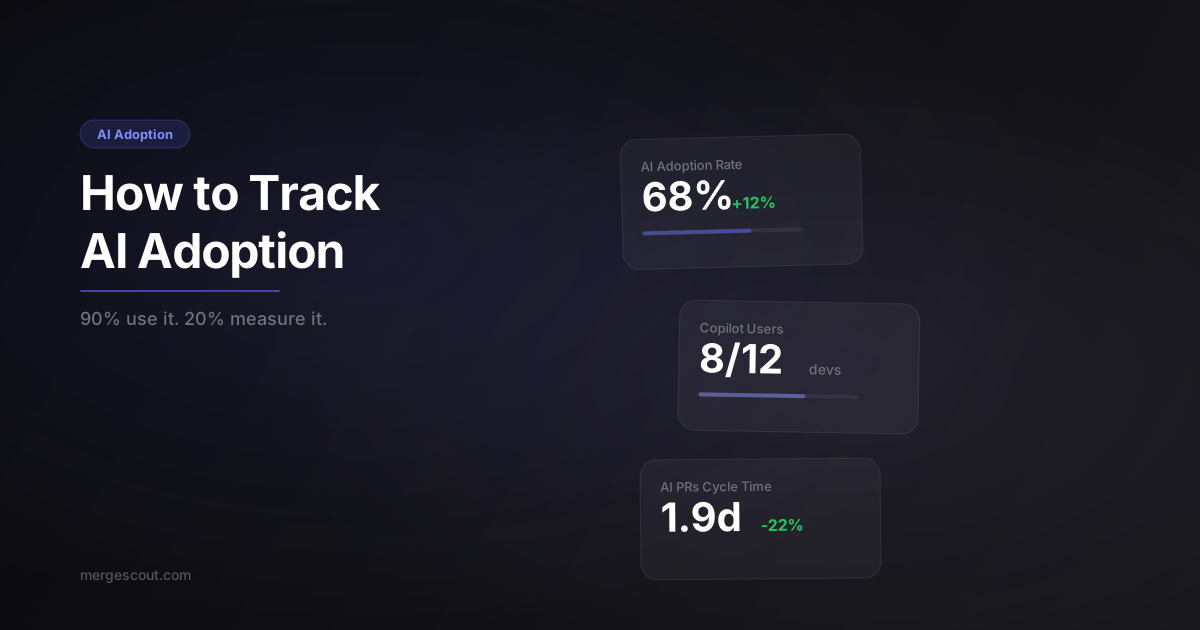
TL;DR: GitHub Copilot has 20M+ users and is deployed at 90% of Fortune 100 companies, but barely any engineering teams measure what it’s actually doing to their codebase. Track AI adoption by detecting commit signals, compare cycle time and rework rates between AI-assisted and non-AI PRs, and stop assuming more AI equals better outcomes.
Here’s the disconnect that keeps bugging me: every engineering team I talk to is using AI tools. Copilot, Claude, Cursor, Cody — the list gets longer every month. But when I ask “what’s the impact on your team’s output?” I get a shrug. Maybe a vague “feels faster.”
Feels faster. That’s a $20/seat/month decision based on vibes.
Jellyfish’s 2025 engineering management report put numbers on this: roughly 90% of engineering teams have adopted AI coding tools, but only about 20% are measuring the impact in any structured way. That’s a massive gap. You wouldn’t roll out a new CI system without measuring build times before and after. Why are we treating AI tools differently?
Why is there an AI adoption measurement gap?
Because the tools don’t make it easy. Copilot doesn’t stamp a label on every line it wrote. Claude doesn’t add a header saying “this function was AI-generated.” The output looks like regular code — because it is regular code, just authored differently.
So managers are left guessing. They see the monthly Copilot bill, they see engineers saying they like it, and they assume it’s working. Maybe it is. Maybe it isn’t. Without data, you’re flying blind on one of the biggest workflow changes in software engineering’s history.
The other reason: nobody wants to be the manager who says “AI isn’t helping.” There’s organizational pressure to show AI adoption is working. Measuring it honestly means accepting that the answer might be complicated.
What signals indicate AI-assisted code?
You can’t detect AI assistance with 100% accuracy, but you can get surprisingly close by looking at the signals that are already in your GitHub data:
Co-authored-by headers — Some AI tools and workflows add Co-authored-by headers to commits. This is the most explicit signal. If your team uses Claude Code or similar tools that add co-author attribution, this is free metadata.
Commit message patterns — Engineers using AI often include signals in commit messages: “generated with copilot,” “AI-assisted,” or tool-specific patterns. Some teams adopt conventions like prefixing AI-assisted commits.
PR body patterns — Many AI tools add context to PR descriptions. Claude Code adds a footer. Copilot Chat sessions sometimes get pasted into PR bodies. These are detectable patterns.
Branch naming conventions — Some teams adopt branch prefixes like ai/ or copilot/ to tag AI-assisted work. Simple convention, high signal.
Code style fingerprints — This one’s fuzzier, but AI-generated code often has recognizable patterns: more verbose variable names, specific comment styles, certain error handling patterns. It’s not reliable enough to use alone, but it’s a supporting signal.
The practical approach: adopt a team convention (like a PR label or commit tag) and detect the signals that naturally occur. You don’t need perfection. You need enough coverage to compare populations.
MergeScout is an AI-powered engineering metrics dashboard that watches your GitHub repos and delivers executive briefings in seconds. One of the things it does automatically is detect these AI signals across your PRs and surface an AI adoption rate — no manual tagging required.
Does AI-assisted code ship faster?
This is the question everyone wants answered, and the data is more nuanced than the hype suggests.
The short answer: yes, usually. PRs with AI assistance signals tend to have shorter cycle times. In the teams I’ve looked at, the median cycle time for AI-assisted PRs is 15-30% lower than non-AI PRs. That’s significant.
But here’s the nuance: the biggest gains are on boilerplate-heavy work. CRUD endpoints, test scaffolding, configuration files, data transformations — these ship dramatically faster with AI assistance. Sometimes 50%+ faster.
For complex architectural work? The difference shrinks or disappears. AI tools are great at generating code quickly but don’t reduce the time spent on design decisions, review discussions, or integration testing. The hard parts stay hard.
The other confounding variable: engineers who adopt AI tools early tend to be the ones who were already fast. They’re comfortable with new tools, they iterate quickly, and they’d have good cycle times regardless. Attributing their speed entirely to AI is a mistake.
What you want to measure isn’t “are AI PRs faster?” in isolation. You want to measure “did this engineer’s cycle time change after they started using AI tools?” That’s a before-and-after comparison, and it’s much more honest.
Does AI-assisted code have more bugs?
This is the question nobody wants to ask. Here’s what I’ve seen:
Rework rate for AI-assisted PRs is slightly higher in most teams. Not dramatically — we’re talking 2-5 percentage points higher. But it’s consistent enough to notice.
Why? A few reasons:
-
Speed creates confidence. When code comes together quickly, engineers sometimes skip the careful review they’d give their own hand-written code. The AI wrote it, it looks right, ship it.
-
Edge case blindness. AI tools are great at the happy path. They’re less consistent with error handling, boundary conditions, and integration edge cases. Code that looks complete might be missing the 20% that handles the weird stuff.
-
Review fatigue. Reviewers sometimes treat AI-generated code differently. If they know it came from Copilot, there’s a subtle tendency to trust it more — or to feel overwhelmed by the volume and skim it.
This doesn’t mean AI tools are net negative. A 20% cycle time improvement with a 3% rework increase is still a massive win. But it means you should be watching both numbers, not just the one that makes the business case look good.
The teams that handle this best pair AI adoption with review quality standards. They use AI to write the first draft fast, then apply the same rigorous review they’d apply to any code. Speed in authoring, discipline in review.
What does “good” AI adoption look like?
It’s not 100%. I’ll say that clearly because there’s pressure from leadership to push AI adoption as high as possible, and that’s the wrong goal.
Good AI adoption looks like:
Thoughtful adoption at 40-70%. Not every task benefits from AI assistance. Debugging a race condition? AI tools often make that harder, not easier. Designing a new data model? You need to think, not generate. Good teams use AI when it helps and skip it when it doesn’t.
Maintained quality metrics. If AI adoption goes up and rework rate goes up proportionally, you have a quality problem. The goal is higher adoption with stable or improving rework rate and cycle time. That means your team is using AI effectively, not just frequently.
No productivity disparity. If your AI-adopting engineers are shipping 3x faster than non-adopters, that’s not a win — it’s a team cohesion problem. Either train the non-adopters or understand why they’re choosing not to use the tools. Sometimes they have good reasons.
AI used for the right tasks. Boilerplate, tests, documentation, data transformations — high value. Core business logic, security-sensitive code, complex algorithms — lower value, higher risk. Good teams have an intuition for where AI fits.
How does MergeScout detect and track AI adoption automatically?
We built AI detection into MergeScout because manually tracking this was a pain for every team we talked to. Here’s how it works:
- Signal scanning — MergeScout analyzes commit messages, PR descriptions, co-authored-by headers, and branch names for AI tool signals across every PR
- AI adoption rate — The percentage of PRs with detected AI signals, tracked over time so you can see adoption trends
- Comparative analysis — Side-by-side metrics for AI-assisted vs non-AI PRs: cycle time, review rounds, rework rate
- Per-developer breakdown — See which team members are adopting AI tools and how it’s affecting their individual metrics
No manual labeling. No asking engineers to tag their PRs. It runs automatically on every sync and surfaces the data in your dashboard.
The goal isn’t to judge anyone for using or not using AI. It’s to give engineering managers the data they need to make informed decisions about tooling investments and to spot quality issues early.
If you’re spending $2,000/month on Copilot licenses and can’t answer “is it making us faster without making us buggier?” — that’s a problem. Give MergeScout a try and get that answer in 60 seconds.
Frequently Asked Questions
How can I tell if a pull request was written with AI assistance?
Look for co-authored-by headers, commit message patterns mentioning AI tools, PR description footers from tools like Claude Code, and team conventions like AI-specific branch prefixes or labels. No single signal is 100% reliable, but combining multiple signals gives you good coverage. Tools like MergeScout automate this detection.
Does GitHub Copilot actually improve developer productivity?
GitHub’s own research shows Copilot helps developers complete tasks up to 55% faster in controlled settings. In real-world teams, the impact varies — boilerplate-heavy tasks see the biggest gains (30-50% faster), while complex architectural work sees minimal improvement. Measure your own team’s before-and-after data rather than relying on vendor benchmarks.
What percentage of engineering teams use AI coding tools in 2026?
Approximately 90% of engineering teams have adopted some form of AI coding assistance. GitHub Copilot alone has over 20 million users and is deployed at 90% of Fortune 100 companies. However, only about 20% of teams systematically measure the impact of these tools on their engineering metrics.
Should I require my team to use AI coding tools?
No. Mandating AI tool usage creates resentment and doesn’t improve outcomes. Instead, make tools available, provide training, and let adoption happen naturally. Track the metrics — if AI-adopting engineers ship faster with equivalent quality, the non-adopters will notice and come around on their own terms.
How do I measure the ROI of AI coding tools like Copilot?
Compare cycle time, rework rate, and review rounds for AI-assisted PRs versus non-AI PRs on your team. Then factor in the cost per seat. If AI-assisted PRs ship 20% faster with no quality degradation across your team, calculate the time saved per sprint and compare it to the monthly tool cost. That’s your ROI.